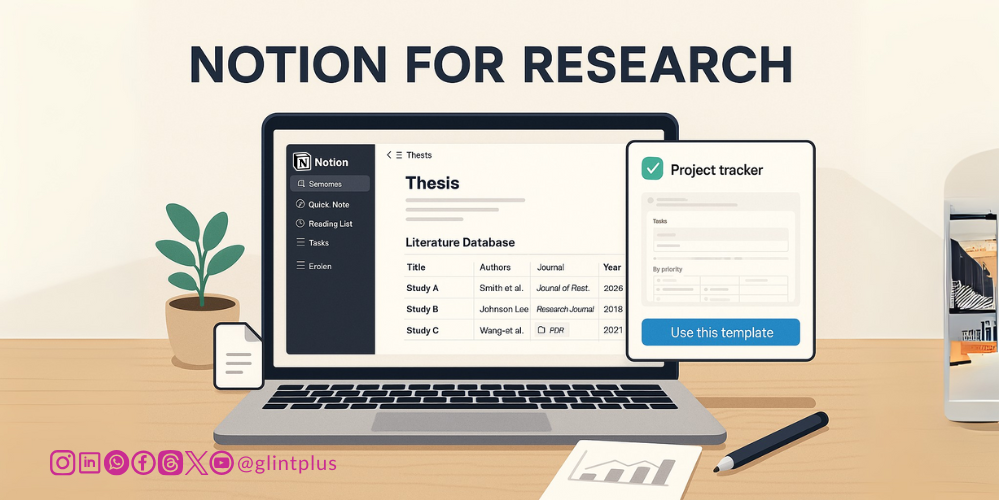
I need a single hub… With Notion for researchers, you can… Journey with me in this piece to discover how.
As researchers, we’re all too familiar with the clutter of scattered PDFs, disjointed notes, and the endless hunt for that one elusive reference. Enter Notion: far more than a sleek to-do list app, it’s a fully featured research workspace that brings everything together under one roof. Imagine tracking literature, managing citations, organising ideas, and even structuring your entire thesis all within a single, interconnected system. In this post, we’ll explore how to transform Notion into a research powerhouse and provide you with external resources to dive deeper.
Ready to revolutionise your workflow? Here is how;
Why Notion for Researchers is a Game-Changer?
Notion’s strength lies in its flexibility. Unlike specialised software that focuses solely on bibliography or note-taking, Notion offers a blank canvas that you can tailor to your exact needs:
- All-in-One Workspace: Integrate notes, databases, and task lists seamlessly (Notion Docs).
- Customisable Templates: Community-created templates for literature reviews, lab notebooks, and project management (Notion Template Gallery).
- Rich Embeds and Relations: Embed PDFs, web bookmarks, and connect databases to maintain relationships between papers, notes, and experiments (Notion Relations Guide).
Question for You: What’s the one research task you wish you could automate? Let us know in the comments below!

Setting Up Your Research Hub
a. Create a “Literature Database”
- New Database: Start with an inline table database titled Literature.
- Key Properties: Add fields for Title, Authors, Publication Date, Journal, DOI, PDF Embed, Tags, and Status.
- PDF Storage: Drag and drop your PDFs directly into each entry. No more searching your Downloads folder!
Further Reading: “How to Build a Knowledge Hub in Notion” by Marie Poulin.
b. Incorporate a “Kanban” for Tasks
- Use a Kanban board to track tasks such as Read, Summarise, and Draft.
- Tag each paper entry with its task status for instant visualisation.
Tracking Literature Efficiently
a. Automate Metadata Capture
- Use the Notion Web Clipper to save articles directly from your browser.
- For DOI or PubMed entries, paste the link; Notion will auto-fetch the title and metadata.
b. Sync with External Tools
- Zotero Integration: Third-party tools like Notero or ZoteroToNotion can push your Zotero library into Notion.
- EndNote and Mendeley: Export your library in CSV and import into Notion for a one-time bulk update.
Tip: Set up a weekly routine to sync any new references into Notion; consistency is key!
Managing Citations
Notion doesn’t replace a citation manager, but it can augment your workflow:
- Citation Properties: Add a Citation URL field populated with your reference manager’s share link.
- Embed Citation Styles: Embed formatted citations using third-party services like Cite This For Me.
- Rollups for Bibliographies: Relate your Chapters database to Literature entries and use rollups to auto-generate chapter-specific bibliographies.
Further Reading: “Notion for Academics: How to Manage References” on The Productive Engineer.
Organising Ideas and Notes
a. Hierarchical Note Structure
- Nest pages within pages: e.g., Chapter 1 → Section 1.1 → Experiment Notes.
- Use backlinks (@) to connect ideas across your workspace.
b. Visual Mapping
- Create a Gallery View of concepts with cover images and tags—ideal for brainstorming sessions.
- Experiment with Timeline View to plan research milestones and deadlines.
Interactive Element: Poll your peers—do you prefer linear outlines or visual boards? Share in your own Notion workspace and tag us!
Structuring Your Thesis in Notion
- Master Thesis Database: Build a Thesis Outline database with properties for Chapter, Section, Word Count, and Status.
- Template Button: Create a button to spawn new section pages pre-formatted with headings, to-dos, and citation rollup blocks.
- Progress Tracking: Use formula properties to calculate total word count and percentage complete.
Tutorial: “How to Write a Thesis in Notion” by Ali Abdaal.
Collaborating and Sharing
- Shared Workspaces: Invite supervisors or collaborators with view-only or edit permissions.
- Inline Comments: Highlight text and leave comments for peer review—perfect for collaborative editing.
- Public Pages: Publish parts of your research as public Notion pages to showcase progress or share preprints.
Tips, Tricks, and Resources
- Keyboard Shortcuts: Familiarise yourself with / commands and keyboard shortcuts to work faster.
- API Automation: Use the Notion API to auto-populate databases from surveys, lab instruments, or other data sources.
- Community Forums: Join the Notion Made Simple Facebook group or Reddit’s r/Notion for template inspiration and support.
By centralising your literature, citations, ideas, and thesis structure within Notion, you’ll eliminate chaos and foster clear, connected thinking. Ready to get started?
- Download a Template: Visit the Notion Template Gallery and search “Research Hub”.
- Share Your Setup: Comment below with a screenshot or link to your workspace—let’s build a community knowledge base.
- Subscribe: If you find these tips helpful, subscribe to our newsletter for monthly guides on maximising research productivity.
What feature will you implement first? Drop a comment and let us know!
Ready to Elevate Your Research? Publish with Glintplus!
Stop waiting and start making an impact. Submit your manuscript to one of our esteemed journals at glintplus.com/journals and become part of a thriving community of researchers who trust Glintplus for:
- Unwavering Quality: Rigorous peer review and high editorial standards.
- Maximum Visibility: Broad indexing and effective dissemination of your work.
- Academic Integrity: Ethical publishing practices you can rely on.
Take the Next Step in Your Publication Journey:
👉 Ready to Submit? Visit glintplus.com/journals to explore our journals and streamline your submission process.
👉 Need a Manuscript Makeover? Our expert editorial support and comprehensive author resources are here to help you shine. Contact us today via publish@glintplus.com!
👉 Never Miss an Opportunity! Stay ahead of the curve by following Glintplus on Facebook, LinkedIn and Instagram for the latest updates and publishing tips.
Let’s collaborate to amplify your groundbreaking research and ensure it reaches the global audience it deserves.
Ready to Level Up Your Academic Writing?
Reading a single post can spark your interest, but deep, lasting mastery comes from studying the right books. If you’re serious about writing with clarity, confidence, and credibility, these handpicked resources are your next best move.
Invest in Your Writing Craft—Available on Amazon:
- They Say / I Say: The Moves That Matter in Academic Writing
- The Craft of Research
- Stylish Academic Writing
- Writing Science: How to Write Papers That Get Cited and Proposals
- Writing Science: How to Write Papers That Get Cited and Proposals
Don’t just write more—write smarter. One of these books could be the breakthrough your writing needs.